Trial (beta) version 1.0.0-beta.9 (V-20 trial) · developed by ilanbk · features may change before the full release
1Getting started
Online: open https://focus.ilanbk.ai on any phone or computer. No sign-in needed.
Computer: open the link you were given, or double-click HS_Dial.html from the trial pack. It opens in Edge, Chrome, Safari or Firefox.
Press Start once. Browsers only play sound after your first tap or click.
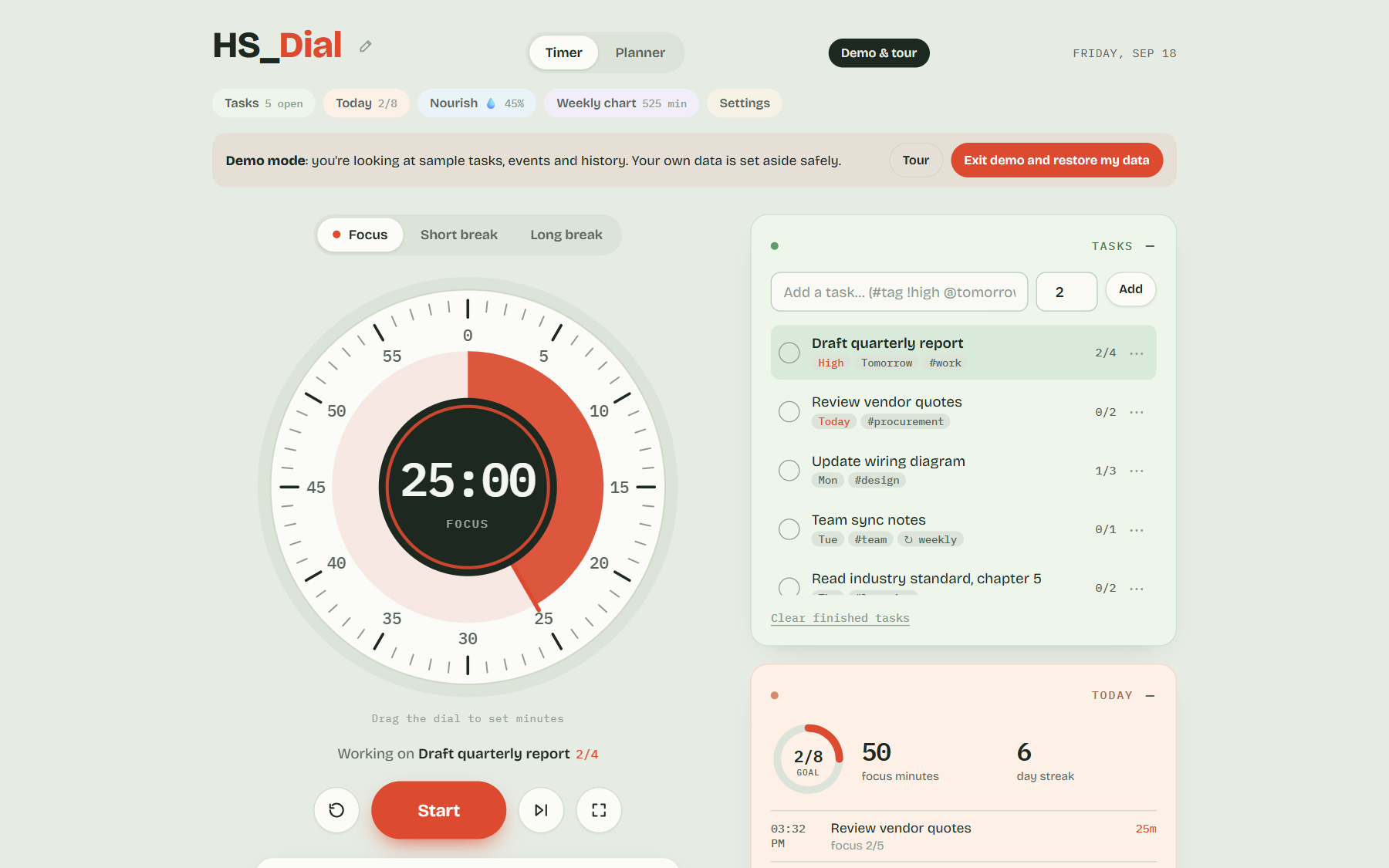
Use the sidebar to move between sections. Keyboard shortcuts are listed under the dial: Space start/pause, R reset, S skip, F focus mode, P park a thought, B breathe, C planner, W wallpapers.
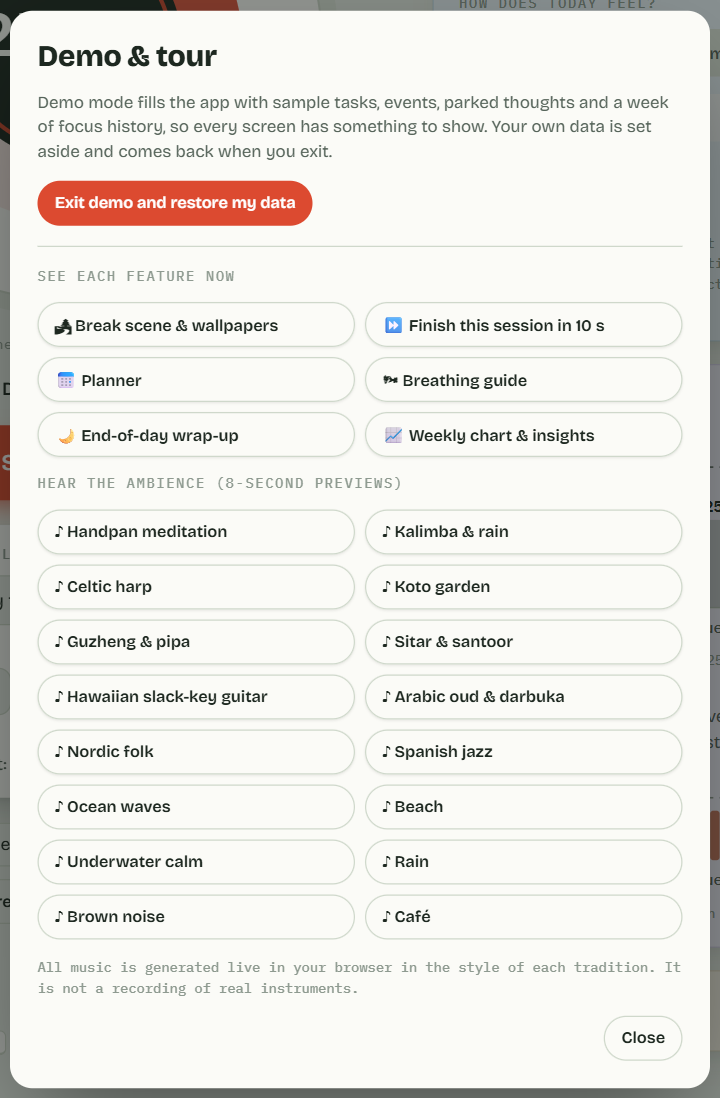
New here? Click Demo & tour to see every feature filled with sample data. Your own data comes back when you exit.
2The focus timer
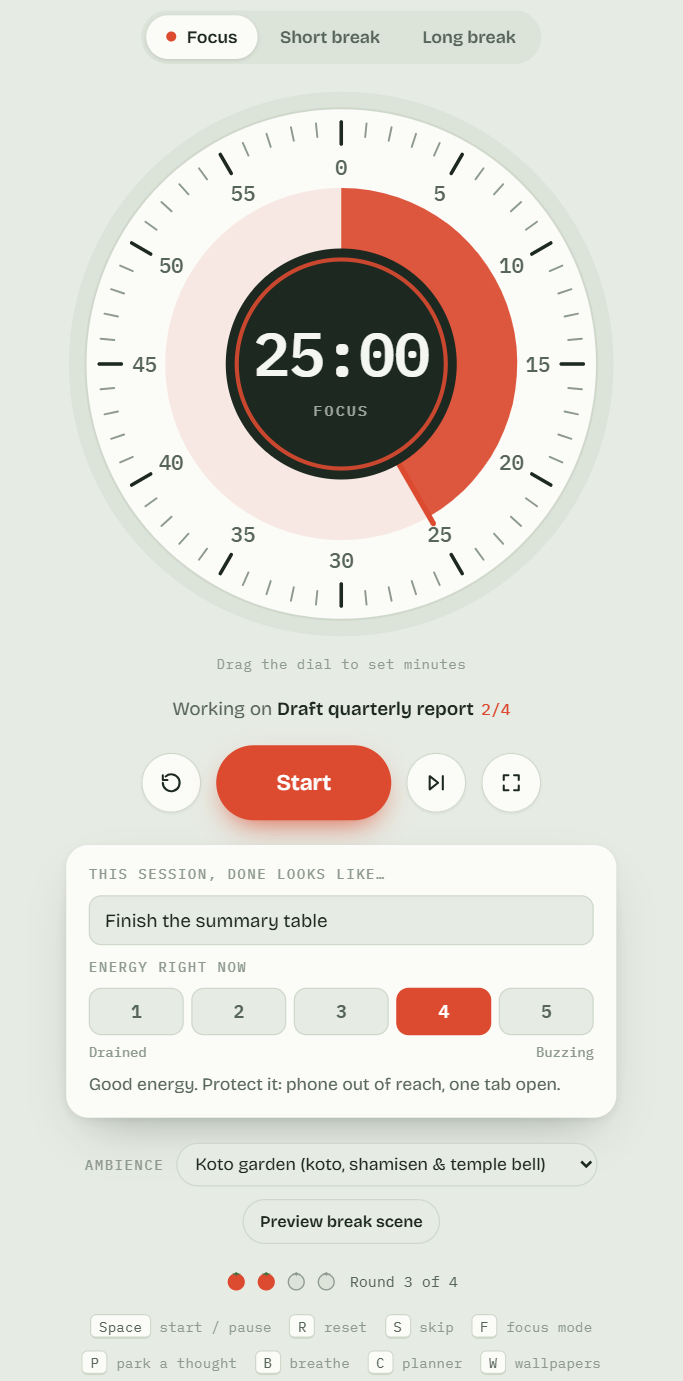
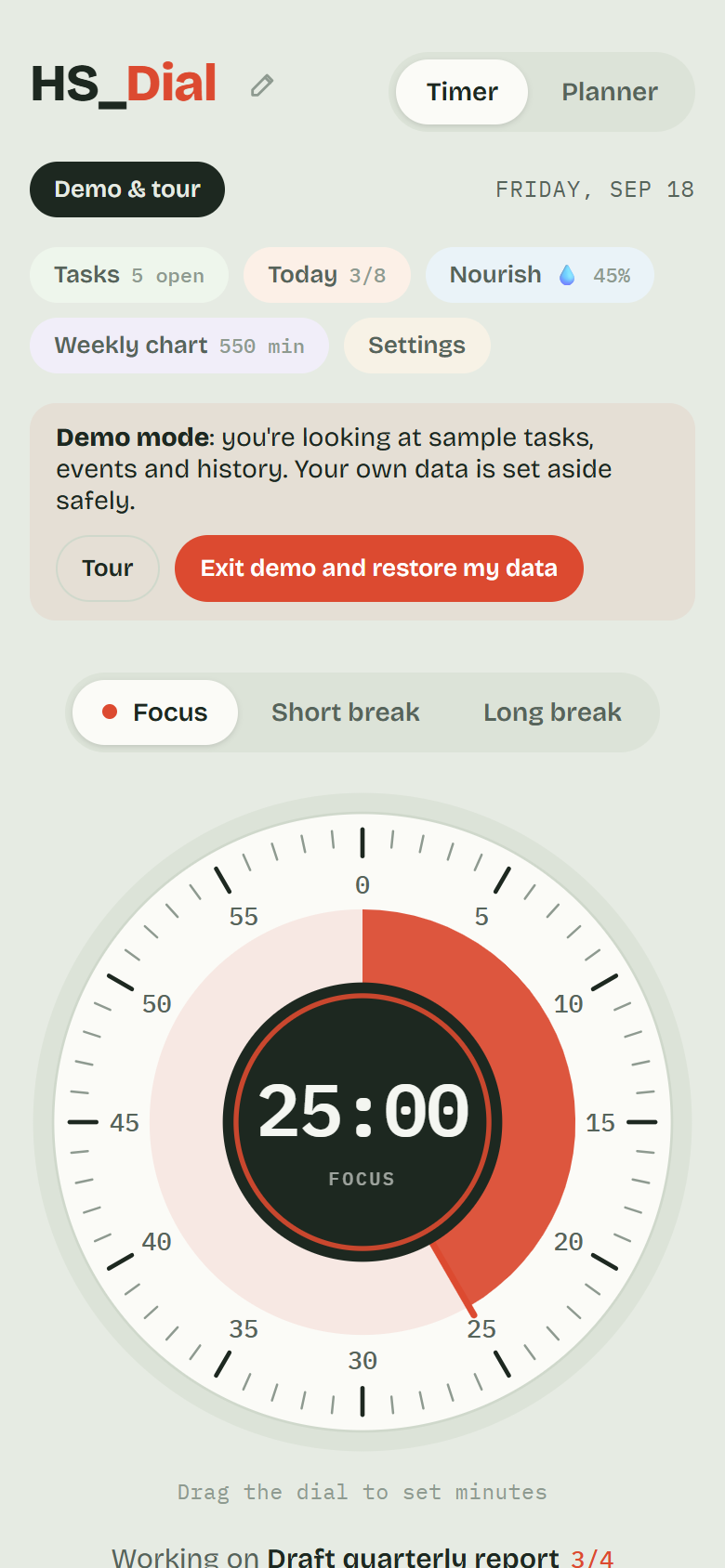
The dial counts down a focus session, then a short break; after a few sessions you get a long break.
Drag around the dial to set the time before you start.
Start / Pause with the big button or the Space key. Skip moves to the next session; Reset restarts it.
Each session type has its own chime. Choose the chime and session lengths in Settings.
Focus mode hides everything except the dial. Ambience plays calm sounds (rain, stream, sea, birds…) or world music while you work.
The timer keeps its place if you reload the page, and can keep the screen awake (Settings → Keep the screen on while the timer runs).
One thing at a time. The screen shows only what you need right now: when you are choosing, your tasks; while the timer runs, just the dial and what you said done looks like; on a break, the break. Nothing has been taken away — your log, your goal, your streak and the weekly chart are all in the Today and Weekly chart panels, one tap away whenever you want them.
The dial, controls and session track
3Tasks
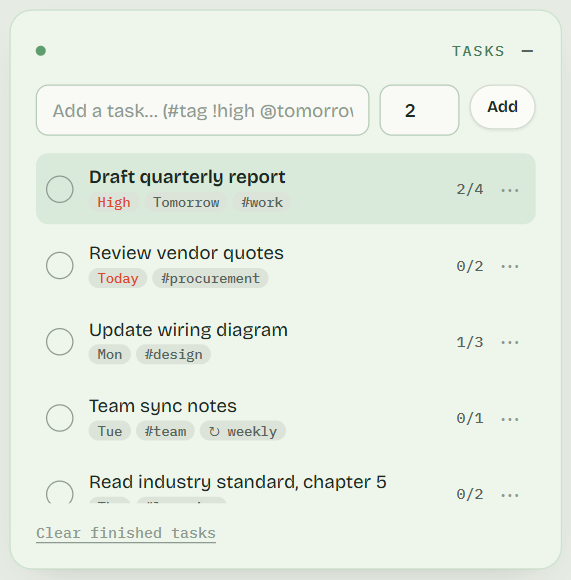
Type a task and press Add. Set how many sessions you expect it to take.
Pick the task you're working on; each finished focus session is counted against it.
Tick tasks off when done.
Task list with session estimates
4Today: intention, parked thoughts and energy
Intention: under the dial, fill in "This session, done looks like…".
Parked thoughts: jot down stray thoughts during focus so you can deal with them later.
Energy check-in: tap 1 (drained) to 5 (buzzing); HSFocus answers with a kind, practical suggestion.
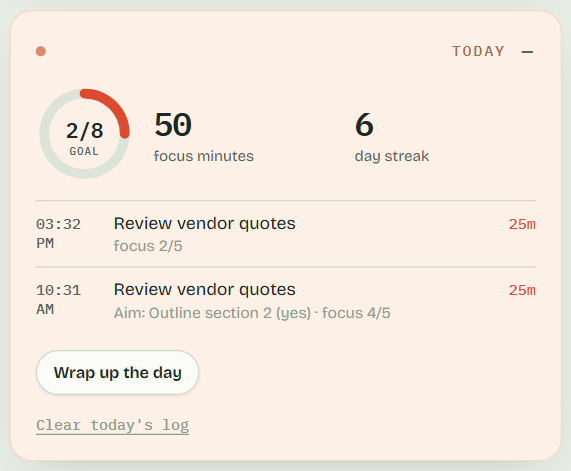
Daily goal: the ring shows your focus sessions against today's goal.
Today view
5Your week
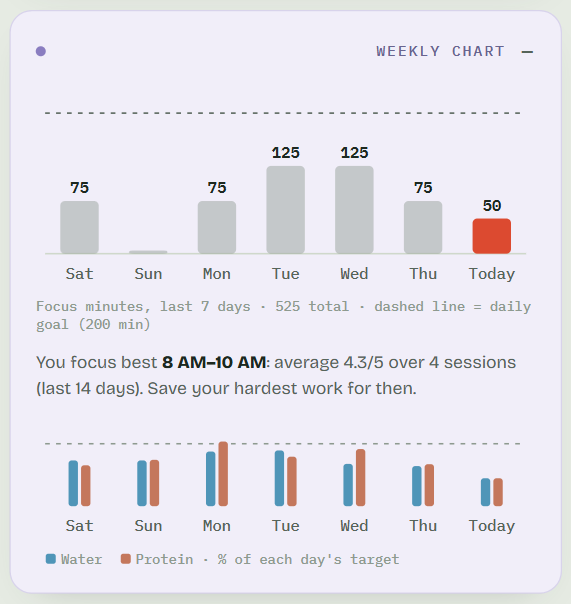
The weekly chart shows focus sessions for each day against your daily goal, with streaks and totals.
Weekly chart
6Planner
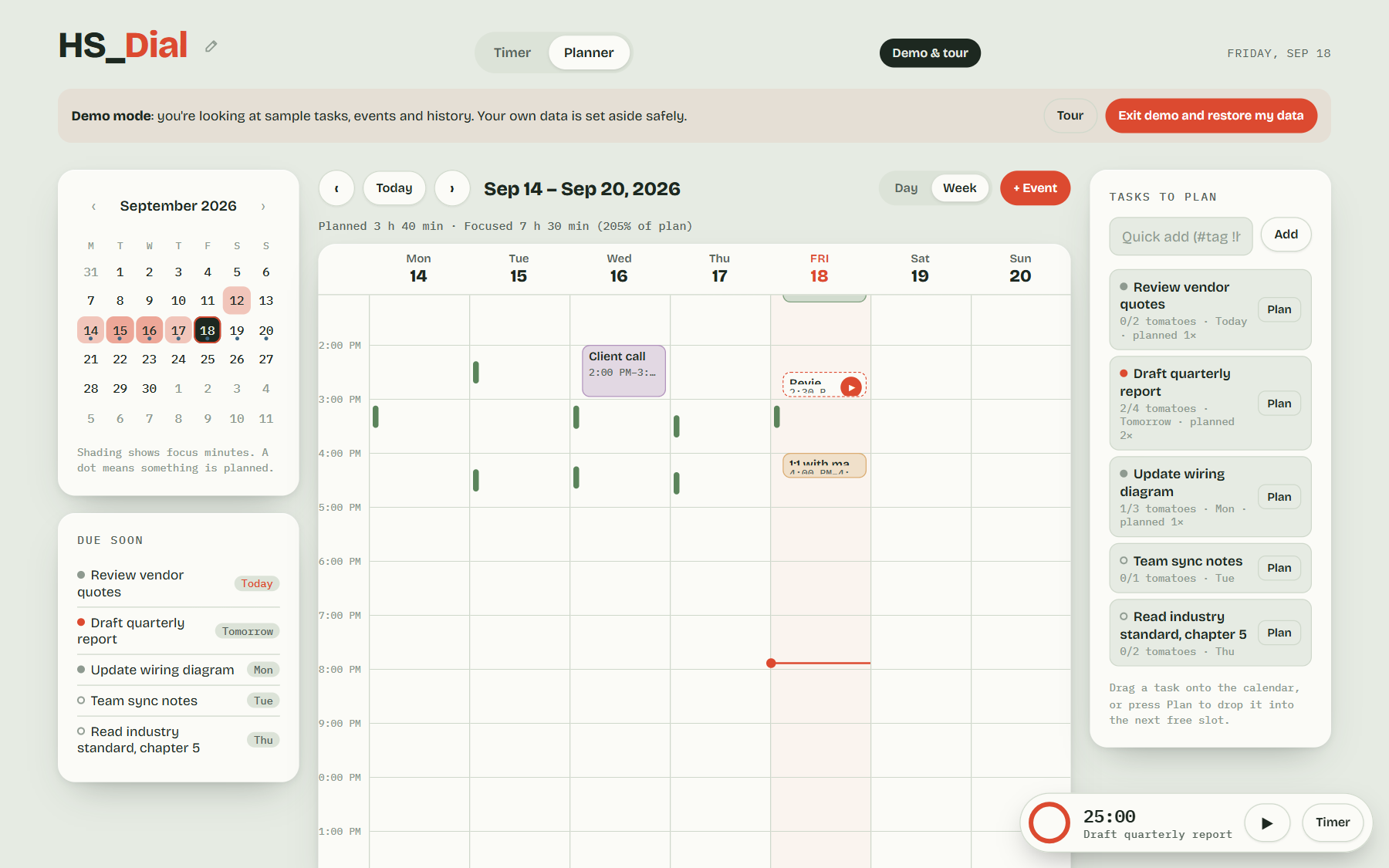
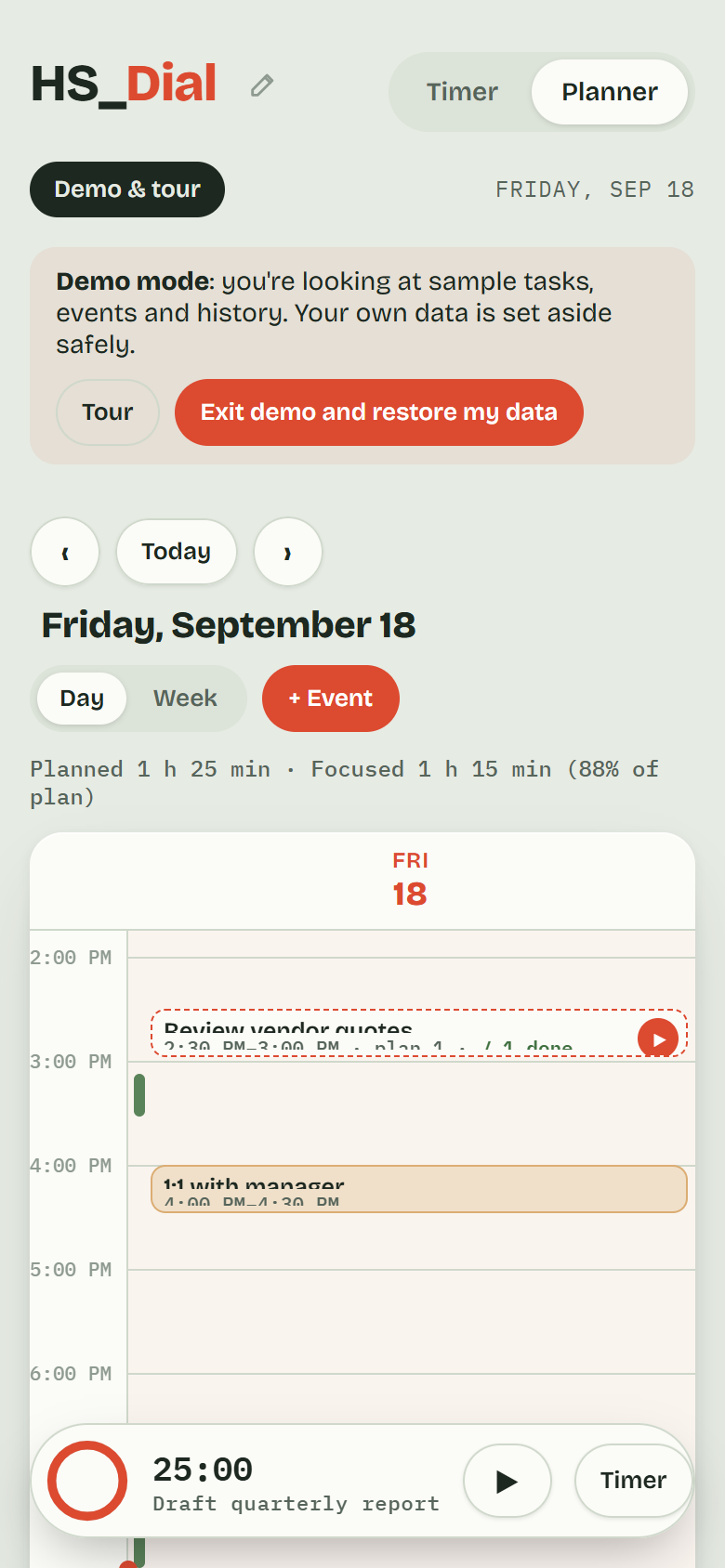
A calendar for tasks and events. Click an empty slot to add an event or a focus block.
Switch between Week and Day views. Drag an item to move it, or drag its bottom edge to resize. ▶ starts focus on that task; green bars show when you actually focused.
Planner calendar
7Breaks: scenes, music and breathing
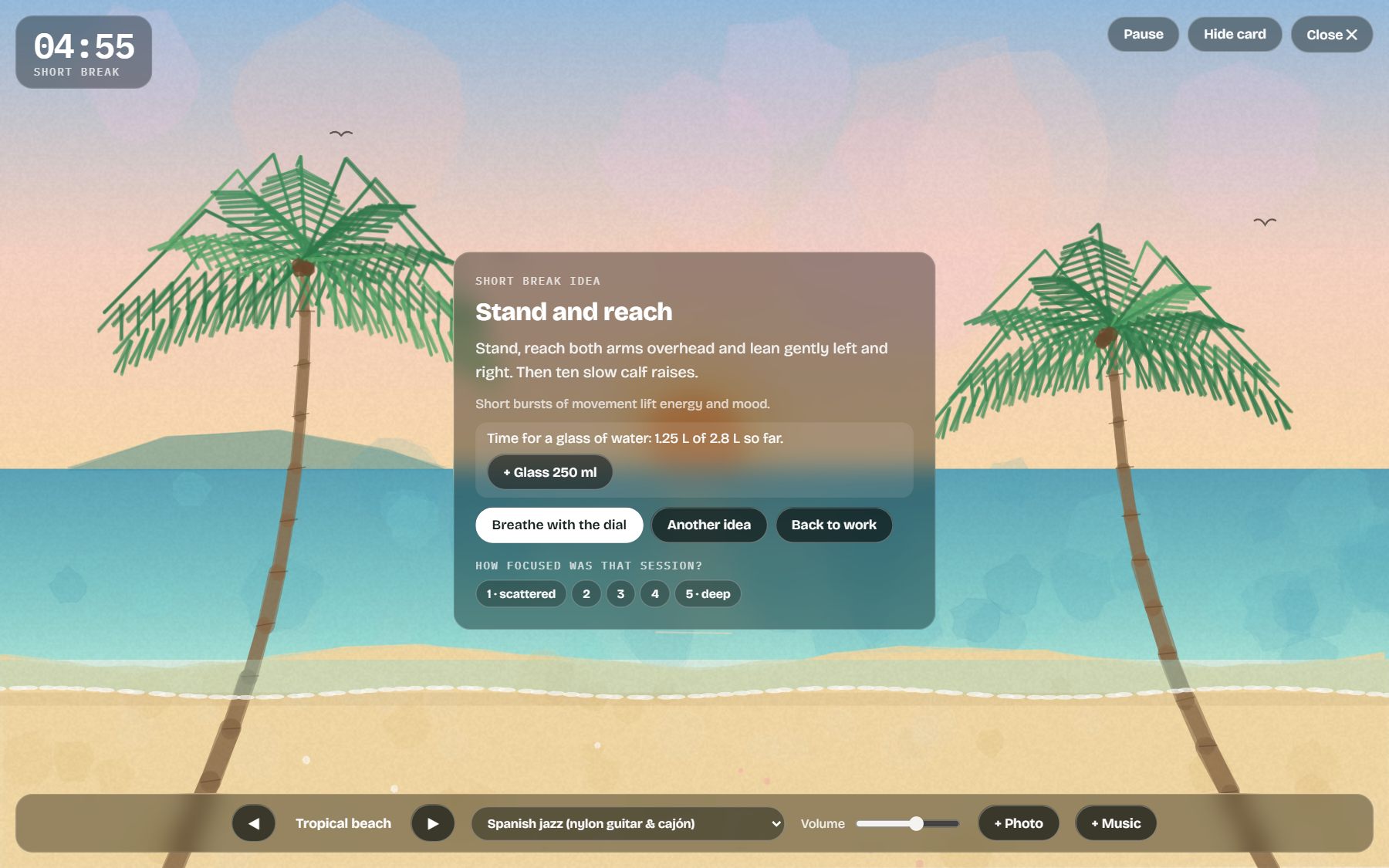
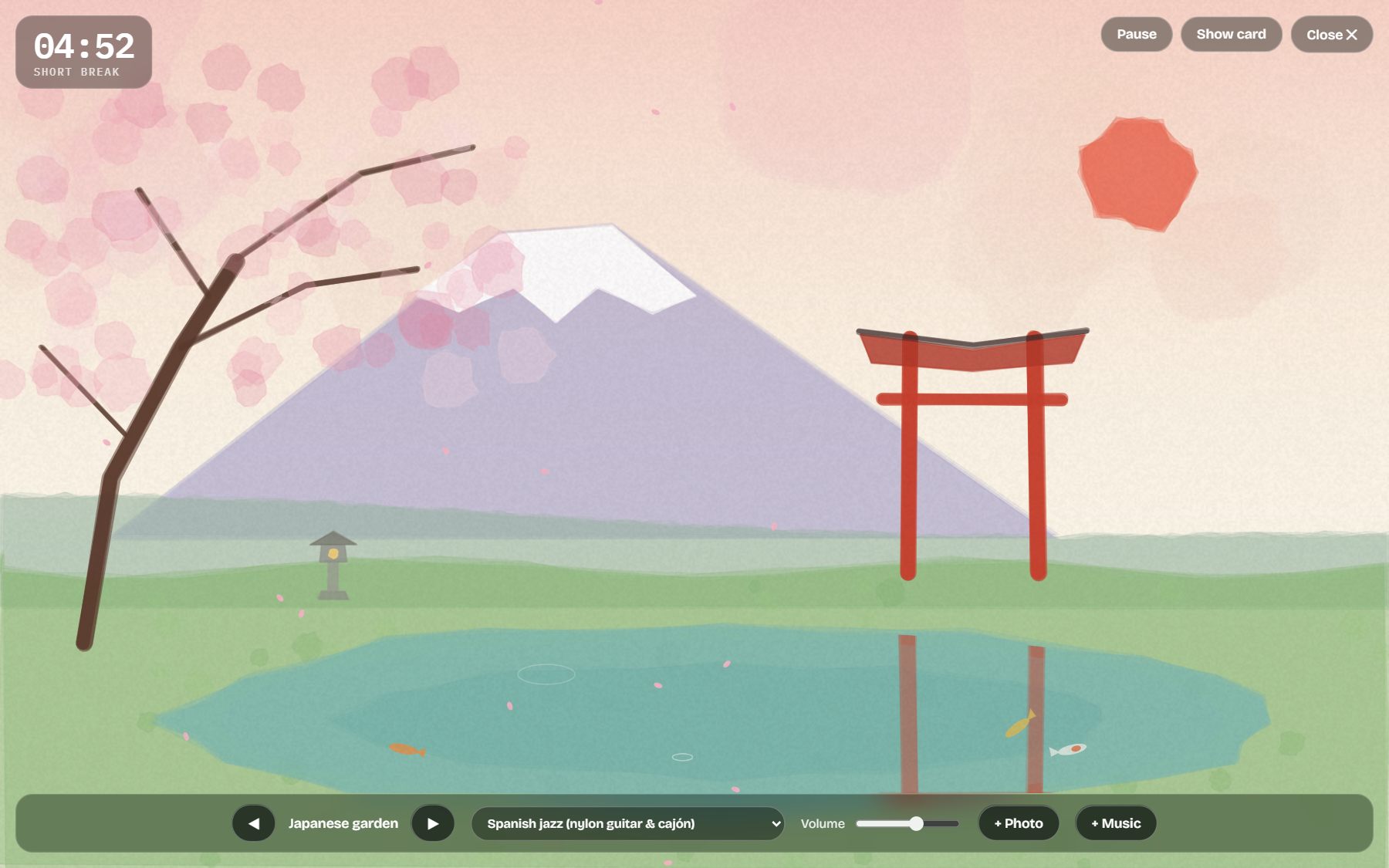
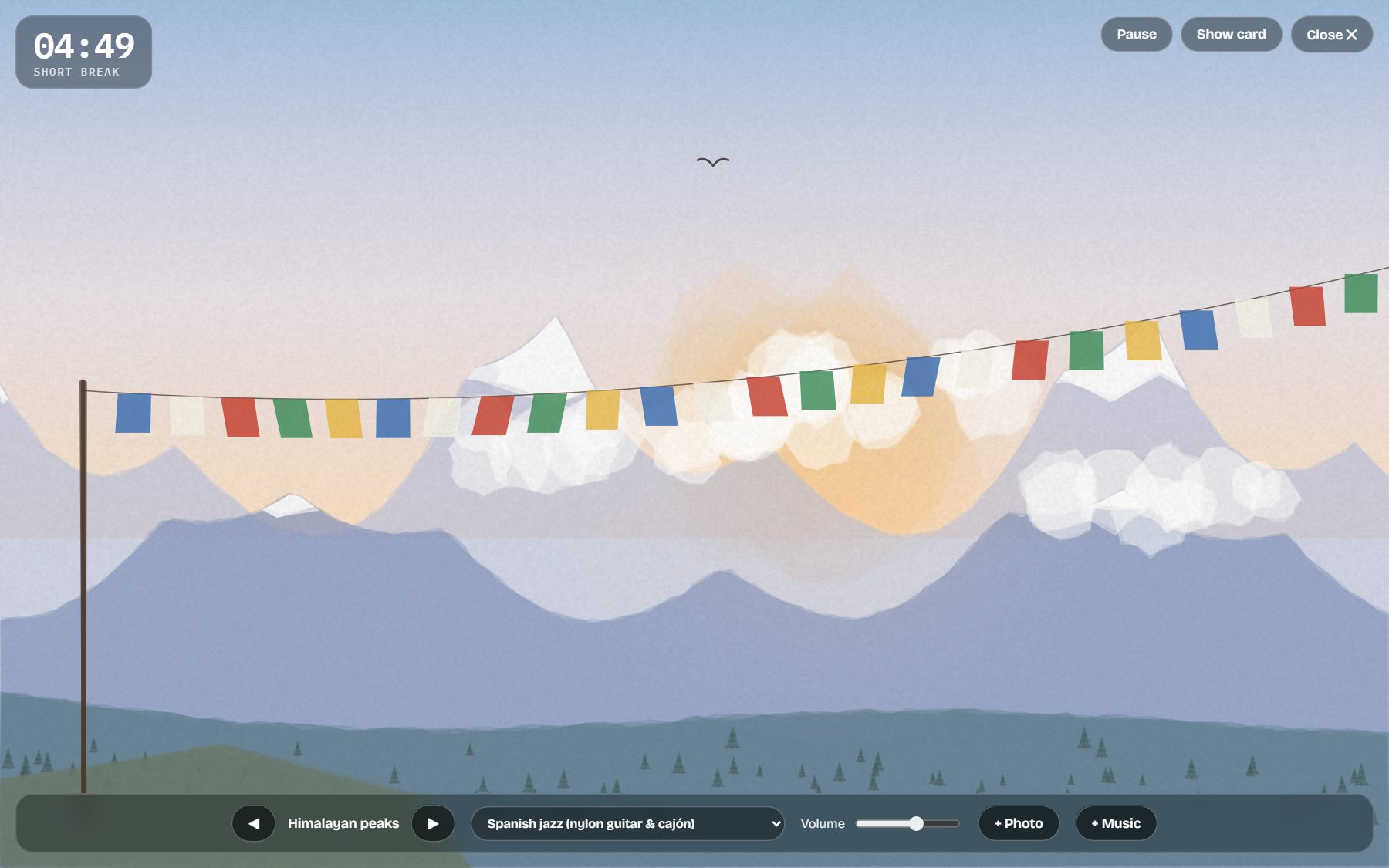
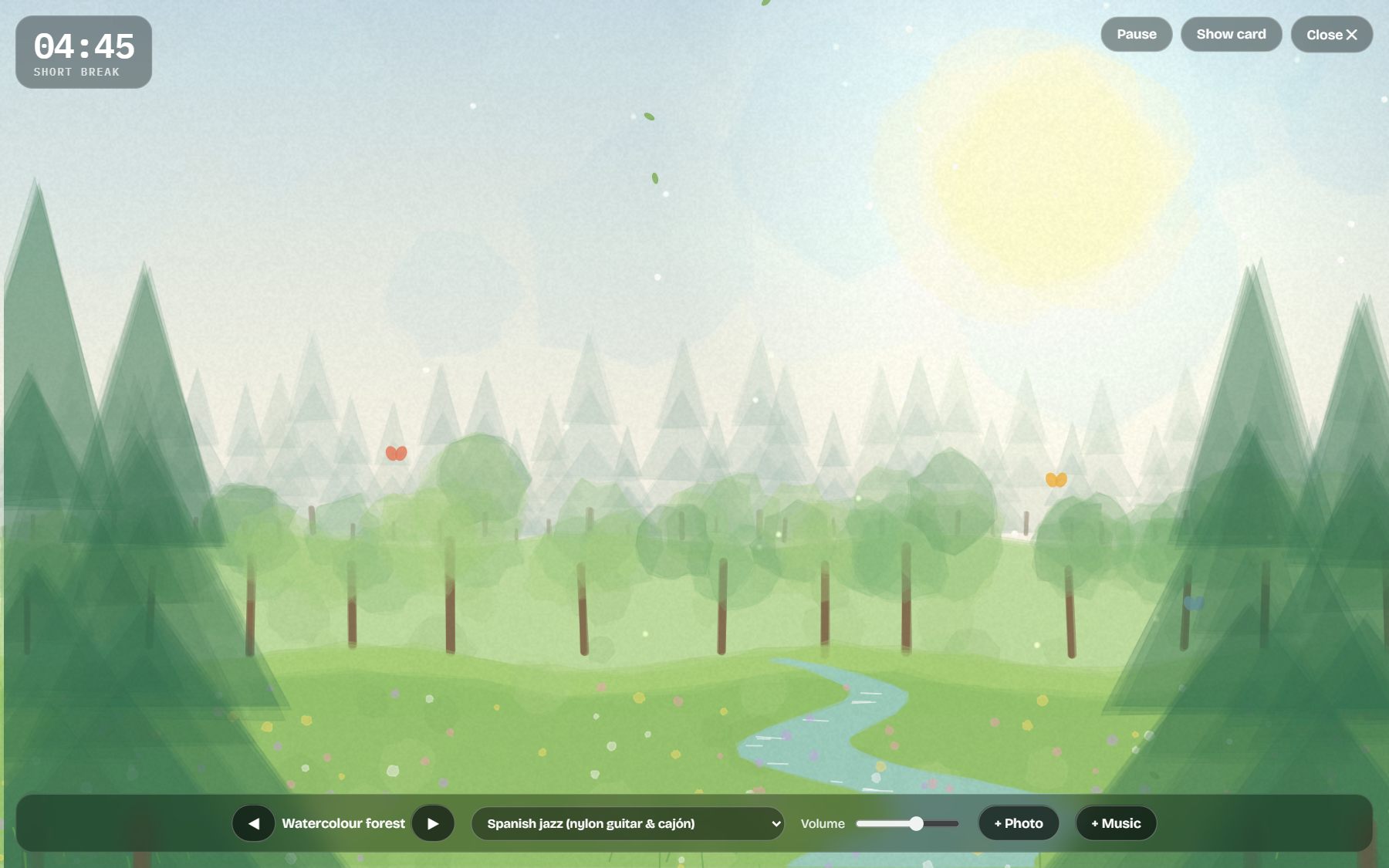
When a break starts, a full-screen scene appears with gentle music: watercolour forest, Japanese garden, Himalayan peaks, tropical beach and more, or your own photos with captions (family, favourite people, places).
Music styles include handpan, kalimba, harp, koto, guzheng, sitar & santoor, slack-key guitar, oud, Nordic folk and flamenco; you can also add your own music.
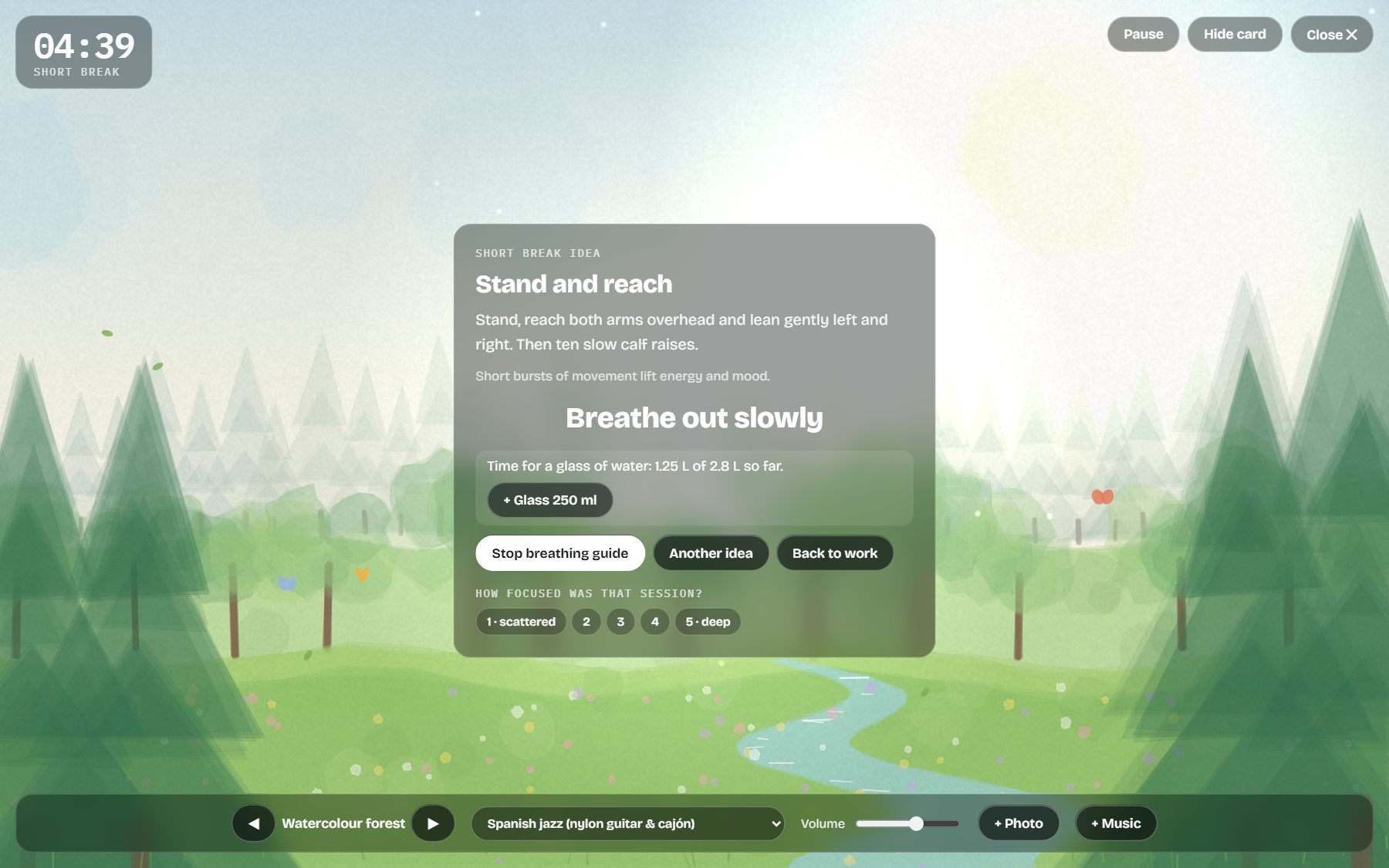
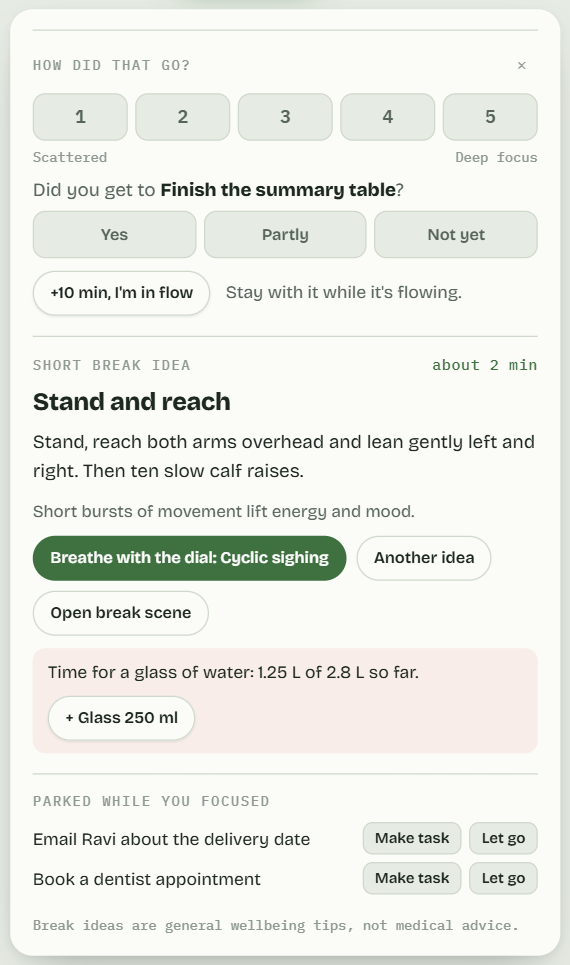
Guided breaks suggest a stretch, a walk or a drink of water. Breathe starts a paced breathing exercise; stop if you feel dizzy.
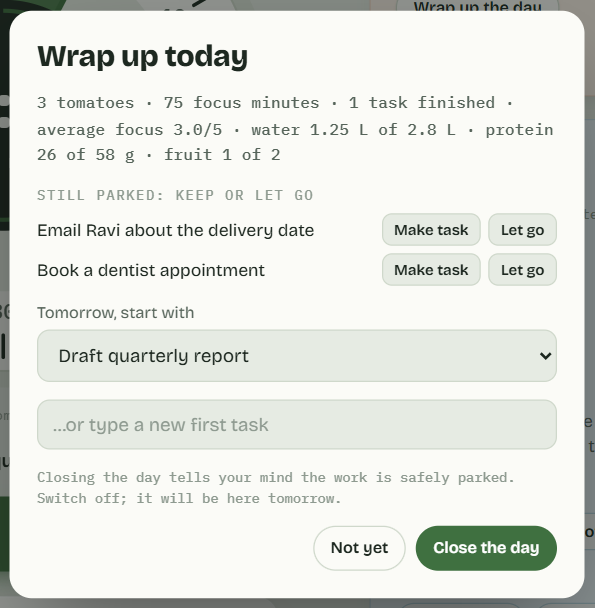
At the end of the day, the wrap-up card sums up what you did.
Break sceneJapanese garden
Himalayan peaksWatercolour forest
Guided breathingBreak suggestion card
Day wrap-up
8Personalise
Rename the app to anything you like.
Choose light or dark theme, chimes, session lengths, ambience and break scenes in Settings.
9Demo & tour
Click Demo & tour to load sample data and a step-by-step tour. Exit the demo to get your own data back exactly as it was.
Demo and guided tour
10On your phone
iPhone: open the link in Safari, tap Share → Add to Home Screen. Flip the Ring/Silent switch to Ring to hear chimes.
Android: open the link in Chrome, tap ⋮ → Add to Home screen.
Phones pause pages in the background, so keep HSFocus on screen for exact chimes.
TimerPlanner
11Study: subjects, topics and revision
The Study tab turns a syllabus into a plan. It holds no course material of its own — you bring the subjects.
Set your exam date, then add each subject and how many topics it has. Names for the topics are optional.
Tap a topic to tick it off. HSFocus brings it back for revision after 1 day, then 3, then 7, then 21 — wider gaps each time.
A topic that is due shows in amber with revise now. Tap it again to mark it revised.
The top of the page says whether you are on track, how many topics a day that means, and which subject will not finish before revision should start.
Your rest days are taken out of every figure, so the daily number never assumes seven days a week.
All of it is arithmetic on what you have actually done — not a prediction, and not a claim about your marks.
12Your data and privacy
Everything you enter stays only in your browser on your device. Nothing is sent to anyone, including ilanbk. The app blocks all outside connections.
Each device and browser keeps its own data. Clearing site data deletes it.
Automatic backup: Settings → Your data → Set up automatic backup. Choose a file once and HSFocus keeps it up to date — on Chrome and Edge. Safari has no way to let an app write a file for you, so there it shows when you last backed up and reminds you instead.
Lock your backup: Settings → Your data → Lock backups with a passphrase. The file is then scrambled, so it is safe to keep in Google Drive, OneDrive or anywhere else — whoever holds it cannot read a word. If you forget the passphrase the file can never be opened again, by you or by us. There is no reset, because we hold nothing about you. Write it down somewhere safe.
Back up by hand: Settings → Your data → Export my data (or Copy backup). Move to another device with Restore a backup. Restoring a locked backup asks for the passphrase first, and nothing changes until it opens.
The backup line turns amber once your last backup is a week old. Clearing your browser's data deletes everything, and there is no copy anywhere else — that is the price of nothing being uploaded.
Delete everything: Settings → Your data → Delete all my data (tap twice).
Break and breathing suggestions are not medical advice. HSFocus is for adults (18+).